
Mobile apps have enabled easier access to online platforms on a mobile phone. The mobile friendly interface will make navigation of menus, information on account and other features easier for users. As part of the mobile-based services research, users can explore one of the platforms named Mahadev Book. But novices should find out how an application works first before sharing personal details or using any payment functionality.
This is a Mahadev Book App beginner’s guide: Keep in mind these points while using it. This includes account security, login precautions, checks for app installation, and responsible usage.
1. Understand the Mahadev Book Mobile App
Consider taking a moment before you use any mobile application to get to know how it works and what it offers.
The Mahadev Book App is conceived as a mobile interface to access features related to the account. Users are advised to verify the authenticity, ownership, security and legal status of the app before installing and use on their own.
For the beginner, the first thing to be understood:
- The main screen of the application.
- Account and Profile Settings
- Available navigation options
- Privacy and security settings
- Customer support information
- The terms and conditions for payment of the price.
Don’t try using new features until you know what they are for.
2. Check the App Source Before Installation
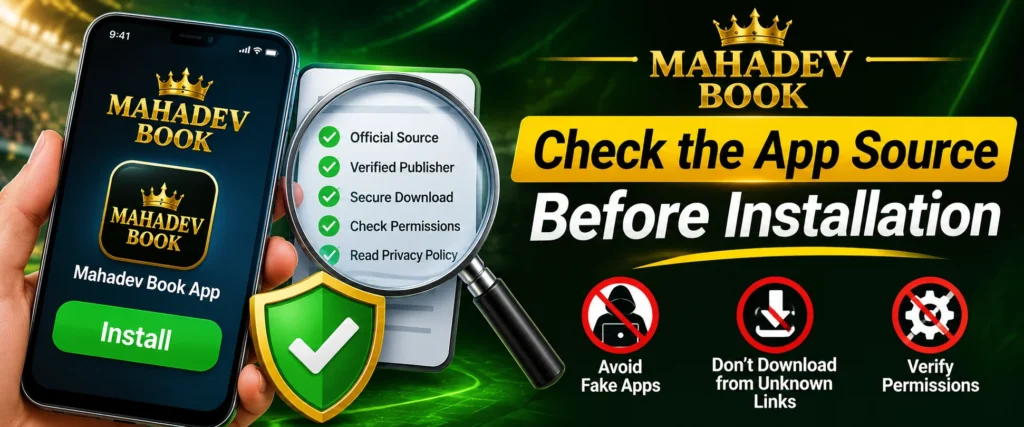
The most crucial step is verifying the source of an application.
Not all websites or links for downloads are safe. Fake apps can look like a real app and might be a way to get personal data.
If you are planning to download the Mahadev Book App, here are some precautions you need to consider:
- Be sure to verify the URL.
- Check application information and publisher.
- Stay away from links that are not well known for downloading APKs.
- Review requested permissions.
- Avoid installing an unknown app by turning off device security settings.
- Never accept messages and social media applications from unknown contacts.
If the publisher or authenticity of the application cannot be verified independently, don’t install it.
3. Understand the Mahadev Book Login Process
The Mahadev Book Login section might show you information related to your account. It is best for the beginners to know basic login security before entering any logon details.
Here are some general precautions to keep in mind:
- Go to the website or the source of the application.
- Check if the connection is secure.
- Avoid entering text such as passwords or credit card numbers on an unfamiliar page.
- Use complex and distinct passwords.
- Do not store passwords on shared computers.
- Always log out after using a device that others can use.
Never give your password, One Time Password (OTP), PIN or other authentication information to anyone who says they can help you with your account.
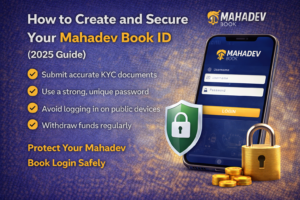
4. Understand Your Mahadev Book ID
Usually, an individual account is identified by an account ID. Users need to be aware of the way their Mahadev Book ID is managed and what information is associated with their ID.
Take the following into consideration:
- Keep account details confidential.
- Never post account information online.
- Do not use somebody else’s account.
- Check details on the accounts thoroughly.
- If you see any suspicious activity, reach out to the appropriate service by a trusted support method.
Please remember that an account ID does not indicate a legitimate and authorised platform.
5. Learn the Mobile App Dashboard
A mobile dashboard typically offers access to various sections of an app. When you know what’s going on in the interface, you can prevent accidental selections.
Typically, common interface elements include:
Dashboard Section | General Purpose |
Home | Displays the main application screen |
Profile | Shows account-related information |
Settings | Provides available configuration options |
Notifications | Displays account or service updates |
Help | Provides support information |
Security | Contains available security controls |
The actual options may vary depending on the application version. Do not rely on screenshots or instructions from unverified sources.
6. Check App Permissions and Device Security
Applications may ask to access the device’s features. Each permission should be checked by users to determine its necessity.
For example:
Permission | What to Check |
Camera | Whether camera access is genuinely required |
Contacts | Whether contact access is necessary |
Location | Whether location access has a clear purpose |
Storage | Whether file access is justified |
Notifications | Whether alerts are useful and expected |
Avoid granting unnecessary permissions. Keep your phone’s operating system and security software updated.
7. Understand Payment and Transaction Information
Extra care needs to be taken with payment-related features. Always check the recipient, payment conditions, restrictions and refund policies independently before making any financial transaction.
Important precautions include:
- Never transfer money to an unknown personal account.
- Always check the payment information before purchasing.
- Do not give an OTP or bank PIN.
- Keep transaction receipts.
- Never rely on screenshots of payment.
- Don’t pay when it’s pushed upon you.
UPI, bank transfers, or other payment options must be verified; otherwise, they may not be available.
8. Keep Your Mahadev Book Account Secure
Security of accounts should be paramount in using an online service.
Here are some simple guidelines:
- Make a secure and distinctive password.
- Never give out login information.
- For important activity on your account, don’t use public wi-fi networks.
- Avoid clicking on suspicious login links.
- Use a lock screen on your telephone.
- Check the activity of your accounts if available.
- Sign out of public computers.
- Avoid installing modified applications.
Discontinue use of the application if you think someone has accessed them without your permission, and secure your email, phone and any other accounts you might have that are connected.
9. Common Mistakes Beginners Should Avoid
New users may make mistakes because they are unfamiliar with mobile applications.
Common Mistake | Better Practice |
Downloading unknown APK files | Verify the application source |
Clicking random login links | Check the website address |
Sharing OTP details | Keep authentication codes private |
Using weak passwords | Create unique passwords |
Ignoring app permissions | Review permissions carefully |
Trusting payment screenshots | Verify transactions independently |
Ignoring legal restrictions | Check applicable local laws |
Avoiding these mistakes can reduce common digital security risks.
10. Follow Responsible Usage Practices
Wagering and gambling online can lead to monetary losses and other dangers. A mobile application can never be considered as a sure bet for earning money.
When utilizing any real money service, be sure to verify the laws that apply to your area. If the activity is not allowed in your area, or if you are legally too young, don’t do it.
Establish a budget and, don’t take out loans to join in with, and don’t do the activity if it is impacting your financial or daily life.
Frequently Asked Questions
1. What is the Mahadev Book App?
Mobile user interface for a service, Mahadev Book, is known as Mahadev Book App. It is recommended that users confirm its authenticity and legality before installing and using.
2. How can beginners check an app before downloading it?
Review the publisher, source site, permissions, privacy policy and security information. Do not download any APKs from unknown sources and suspicious URLs.
3. What is the purpose of Mahadev Book Login?
Most login facilities enable users to utilize features related to their accounts. When entering personal details be sure to check the website or application.
4. How can I protect my Mahadev Book ID?
Have a strong password, don’t give out authentication codes, don’t click on dubious links, and never give people account information who you don’t know.
5. Is it safe to use a mobile betting application?
The safety of an application cannot be inferred from the appearance or branding of an application. Check out its operator, security, permissions, and legal status before using it.
6. What should I do if I receive a suspicious login link?
Don’t click on the link or enter personal data. If you already provided personal information, secure your accounts and if you think your financial information is at risk, contact your bank right away.
Conclusion
Smooth use of a mobile application begins with understanding the interface, checking the source and security basics. When it comes to beginners, they should be extra cautious when it comes to app permissions, login details, payment information, and account privacy.
Before finding out more about Mahadev Book , Mahadev Book Login, or even Mahadev Book ID, it’s always best to do your own research first. Before using a real money gaming or betting service, review the relevant laws and regulations, and be aware of the associated financial risks.